PodMelody

Now available on the App Store

Your podcasts and Apple Music, one queue.

Something unhurried, for the long way home.

PodMelody gives you back your music. The episode ends, the songs you chose start, and you never touch your phone. Set how many songs play between episodes and PodMelody weaves the mix — on the lock screen, in the car and across your Apple devices.

Episode · 52 min then 3 songs then Next · 41 min

Free · No ads · No account · Apple Music subscription for the music side
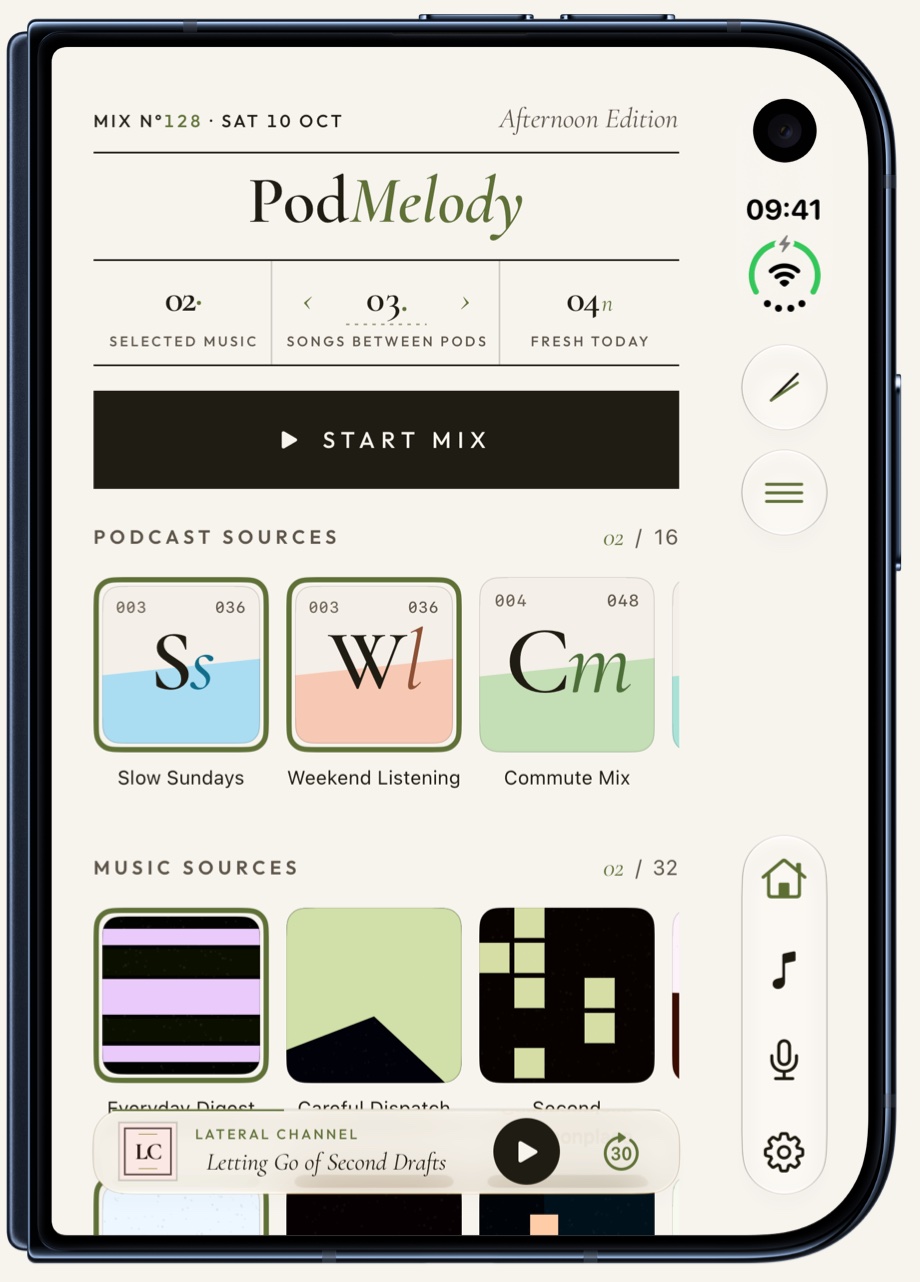
A closed iPhone Duo with PodMelody's Home on its cover screen: the PodMelody masthead, counters for selected music, songs between pods and fresh episodes, a Start Mix bar, podcast and music source tiles, and the mini-player
iPhone Duo, closed · pick your sources · Start Mix

The idea

The queue is the centre of the app.

Podcasts have a way of crowding music out. One episode ends, the next begins, the backlog never runs dry — and the songs you love quietly stop getting a turn. PodMelody gives you back your music: an episode, then the songs you chose, then the next episode, with your hands nowhere near the phone.

For people who listen a lot — across a commute, a workout, a long flight — the queue is the session. Most podcast players leave your music to another app. PodMelody puts the queue front and centre, and lets music live in it too.

How interleaving works →
The mix in motion — tap Start Mix, an episode ends, the music begins, and the queue rolls on.

Keep up with your shows, keep your music

59:30 becomes 22:02

An hour of talk in twenty-two minutes, at 2.7× — and it still sounds like a voice. The time you save is time for the songs; they always keep their own tempo.

How speed works →

See it in the app

From the first play to the last.

Your mix is yours to reorder, reshape, and continue. It follows you across your Apple devices, so you can pick up where you left off instead of hunting for your place.

Made for iOS 27: ask Siri to play, follow and queue your shows by name. Choose Editorial or System; both interfaces are included free, with light, dark or automatic appearance.

What to ask Siri → Explore the two interfaces →
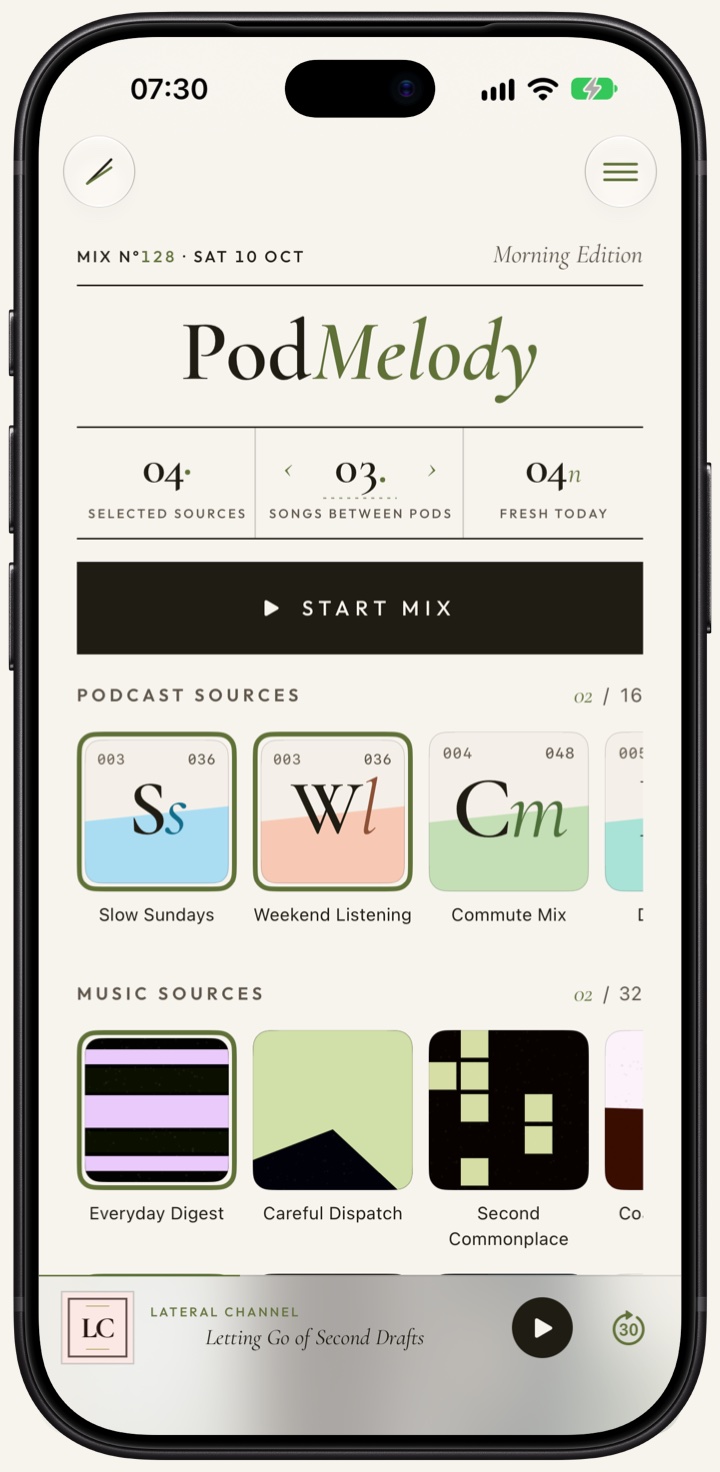
PodMelody Home: podcast and music source tiles above a Start Mix button, with a control for how many songs play between episodes
Home — choose the shows and playlists you're in the mood for, then start the mix. The four selected sources shown here fit within a Free mix.
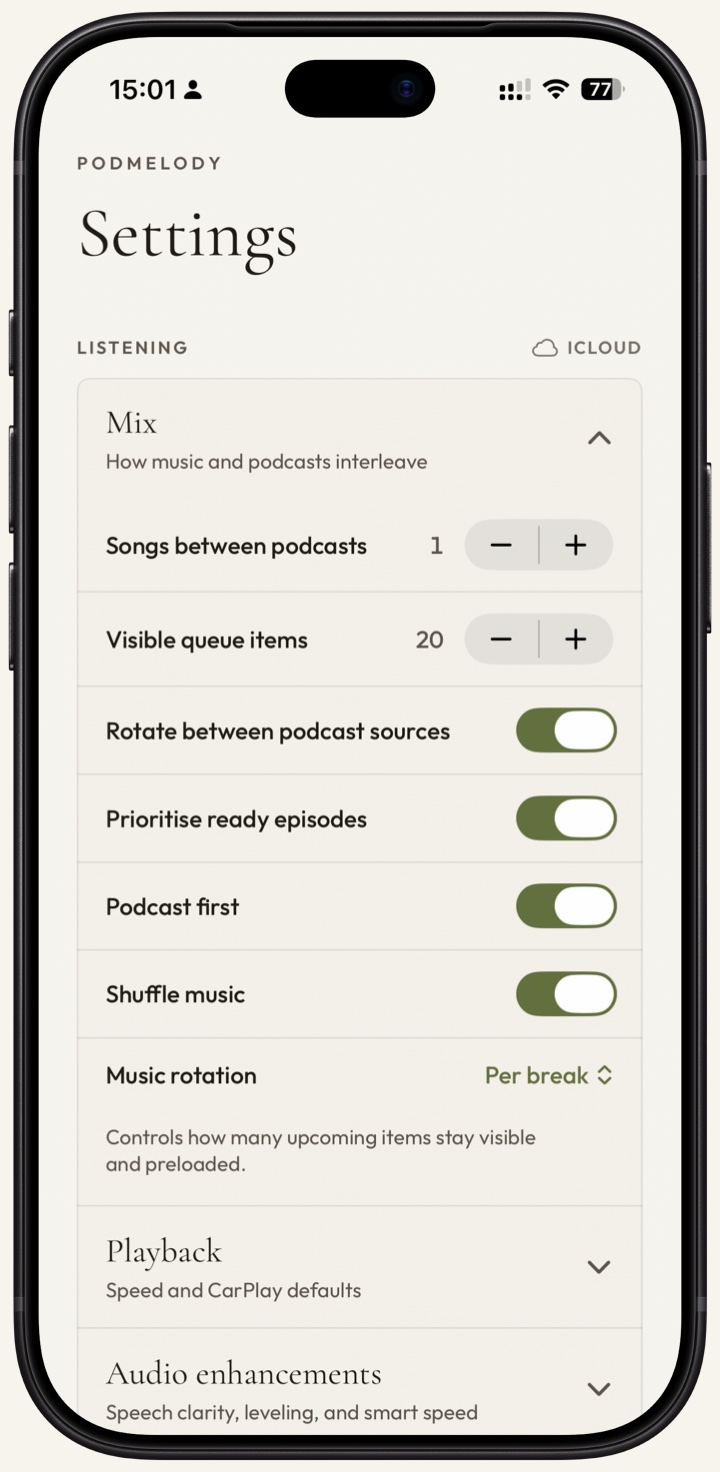
PodMelody's Mix settings: a Songs between podcasts stepper set to 1, a Visible queue items stepper set to 20, and toggles for rotating podcast sources, prioritising ready episodes, podcast first and shuffling music
The mix — one song between episodes, or five. Rotate between shows, lead with a podcast, shuffle the music: the interleave is yours to set. The 20-item queue shown here uses Plus; Free shows up to six upcoming items.
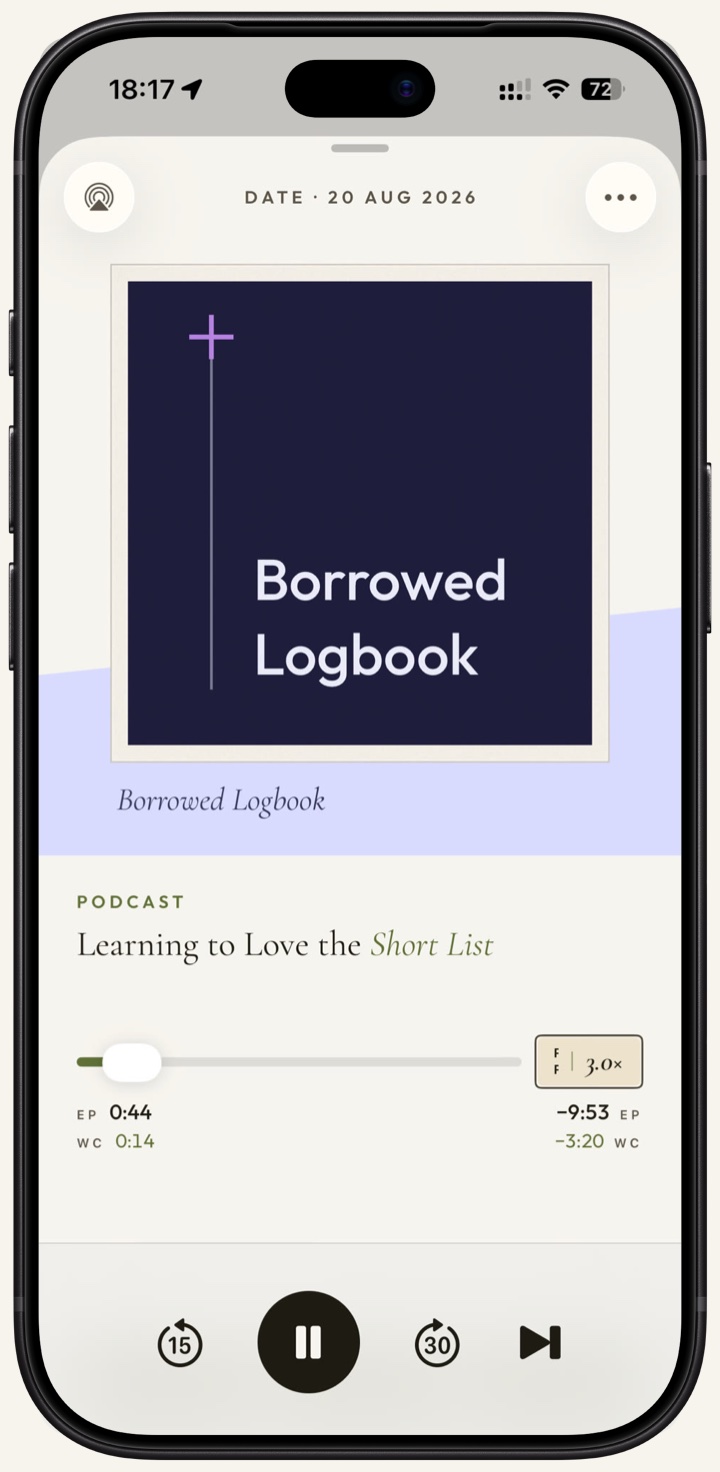
PodMelody Now Playing screen with artwork, scrubber and playback controls
Now Playing — speed, chapters and bookmarks for episodes, with silence compression on Plus; the controls change to suit whatever is playing.

iPhone Duo · iPad · iPhone landscape

More room, so nothing has to hide.

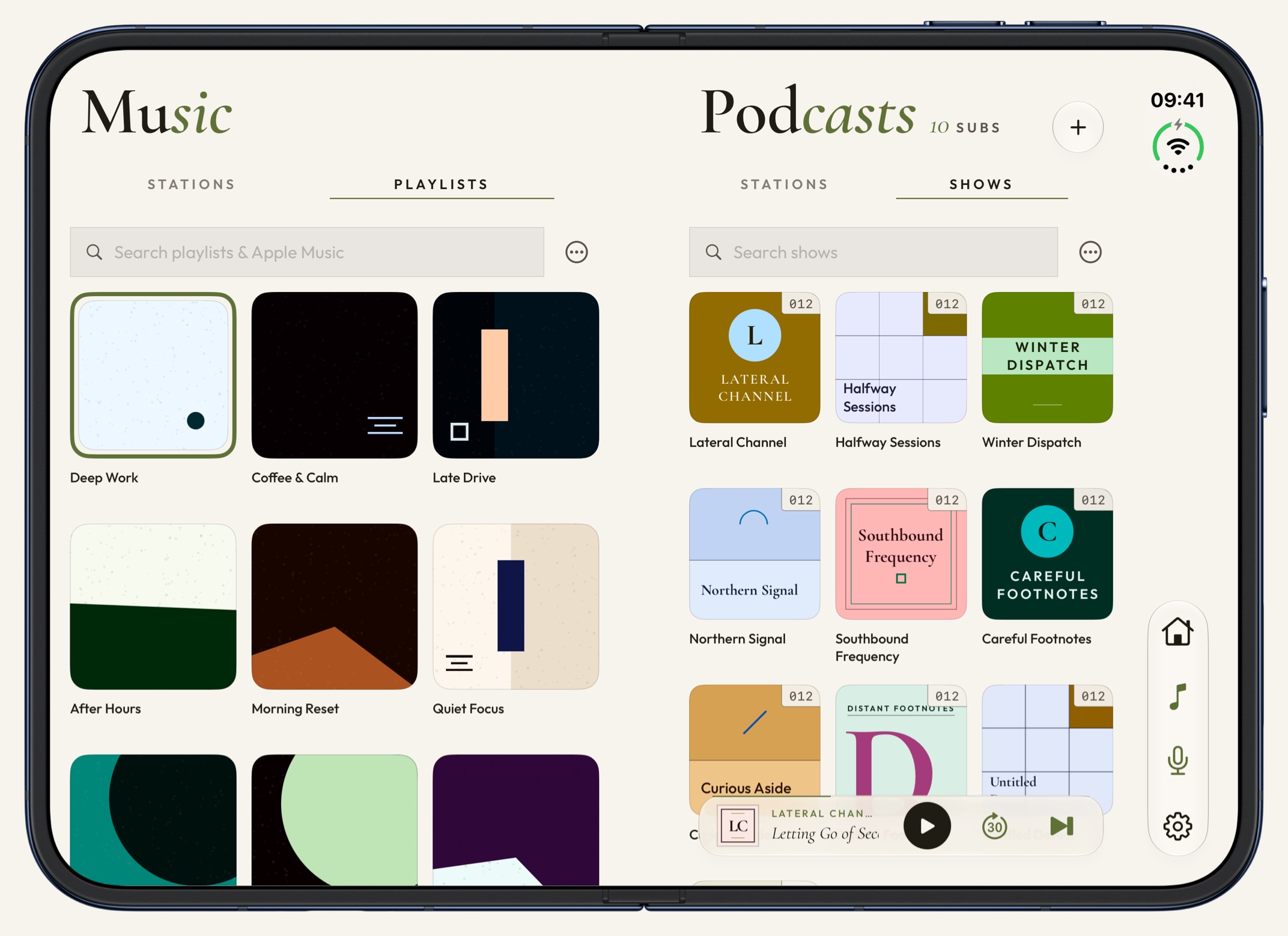
Made for iPhone Duo: closed, your mix and its player are right there on the cover screen. Open it out and the player carries on full size; turn it sideways and Music and Podcasts open side by side as one spread. Turn an iPad sideways for the same two pages, or an iPhone for a two-pane Now Playing.

Explore the features →
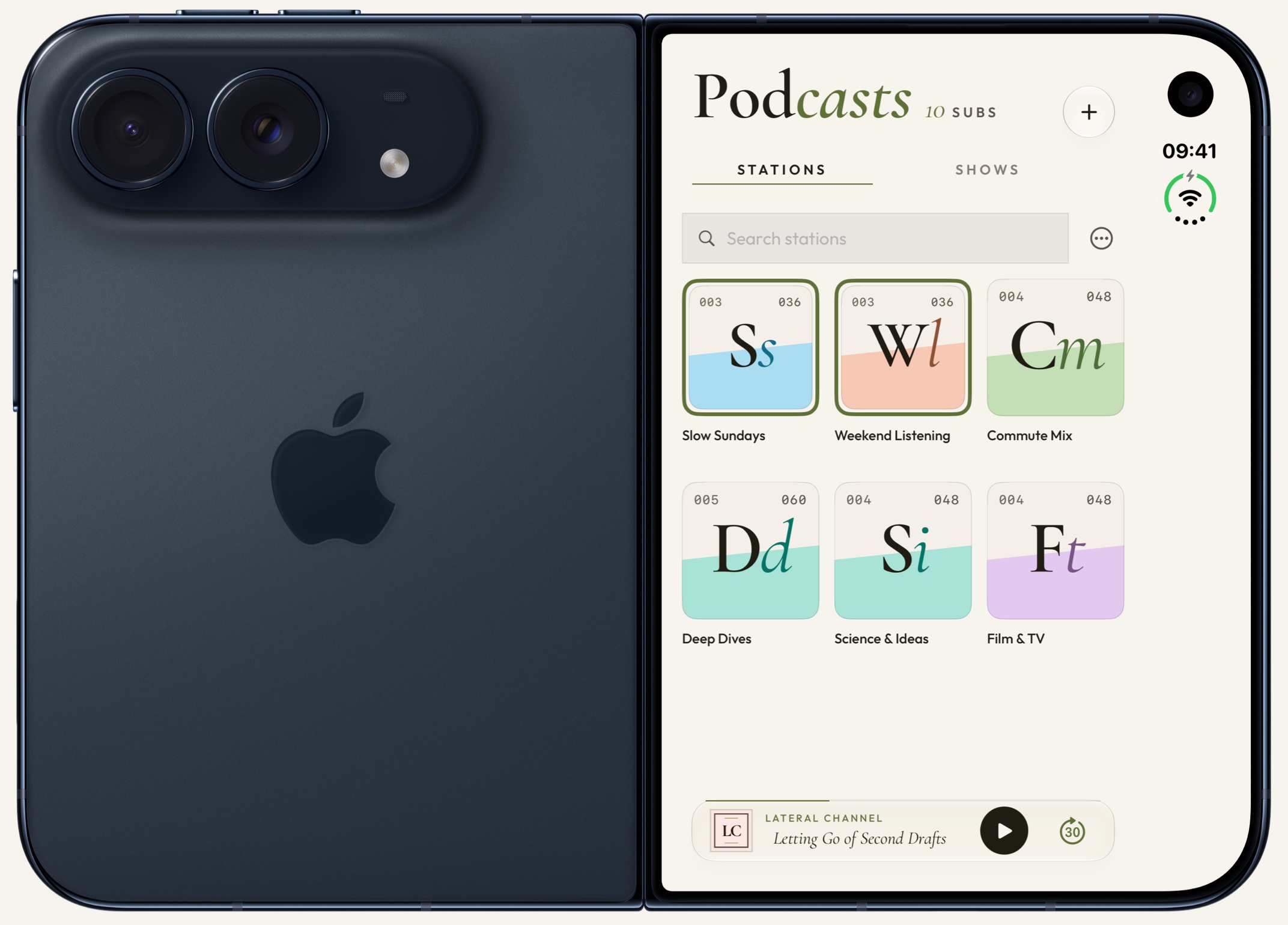
An iPhone Duo opened flat and seen from the outside: the back with its cameras on the left, and PodMelody's Podcasts page on the cover screen on the right, with a grid of podcast stations and the mini-player
iPhone Duo, the cover screen — your stations, your shows and the player, without opening the phone.
PodMelody on an opened iPhone Duo turned sideways: Music on the left page with a grid of playlists, Podcasts on the right page with a grid of shows, each with its own search field, and the mini-player along the bottom
iPhone Duo, opened out — Music on one page, Podcasts on the other, so a mix can be picked from both at once.
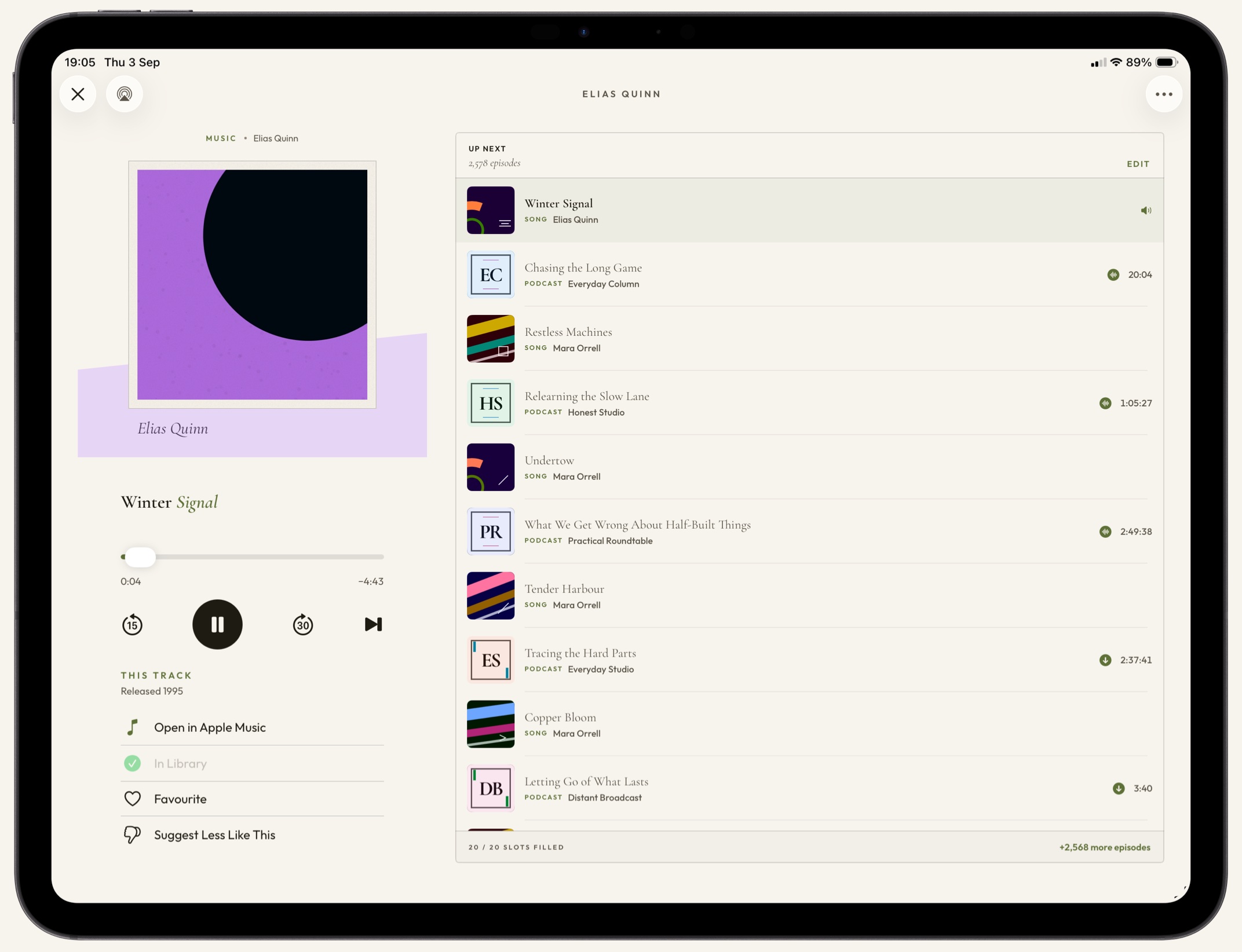
PodMelody on iPad: Now Playing on the left with artwork and transport controls, and the Up Next queue filling the right of the screen, alternating between rows marked SONG and rows marked PODCAST
iPad, full screen — the player and the queue own the whole window now, the same mix in the same order, both in view at once.

CarPlay · available now

The same queue, all the way to the dash.

PodMelody carries your mix to the dash intact, with big glanceable targets and speed controls. PodMelody Plus adds the same interleaved Queue, along with Mix and Browse.

More on CarPlay →
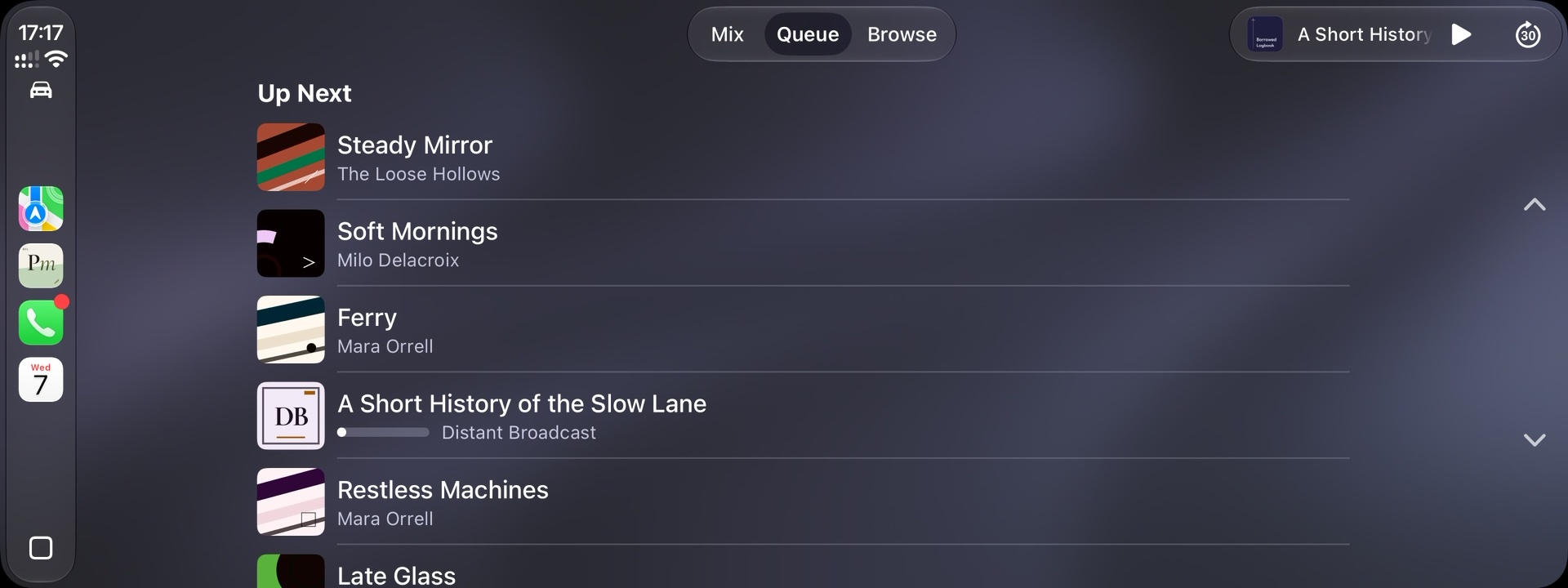
PodMelody's Up Next queue on a CarPlay screen, alternating between music tracks and podcast episodes
Up Next, in the car — with PodMelody Plus, the queue carries over exactly as you built it, songs and episodes in the order you set.

Everything in the box

A player for people who listen a lot.

The full feature list →
01One queuePodcasts and music interleaved — an episode, then the songs you chose, then the next episode.
02Speed that stays humanClear speech at 2.0× and beyond, from 0.5× to 3.0× and per show. Plus trims the dead air between sentences too. Songs always play at their own tempo.
03Your place, carried overWhere you stopped on your iPhone is where you start on your iPad and in the car. Works offline, catches up when you're back.
04CarPlay, properlyEnhanced Now Playing for every listener; Plus adds Mix, Queue and Browse on the dash.
05Offline, automaticallyNew episodes downloaded and kept ready, topped up each time you open the app. Part of Plus.
06Six shows, one stationGroup shows into named sets — Commute, The Long Drive Home — and start a mix from one. A station counts as a single source, however many shows it holds.

No ads, on Free or Plus

Nobody pays to be in your queue.

PodMelody shows no ads, on Free or on Plus, and there are no promoted shows or sponsored picks. Your queue is built only from the shows you follow and the music you choose.

It's made by Slip Angle Dynamics, an independent studio in Australia, and it's paid for by the people who choose Plus.
No adsNo banners, no promoted shows, nothing between one episode and the next but the songs you chose.
No accountNothing to sign up for. Open the app, pick your sources and start a mix.
Your iCloudYour library, progress and history sync through your own iCloud account. There is no separate PodMelody cloud holding them.

PodMelody Plus

Free is the whole player. Plus adds offline downloads, read-along transcripts, pro audio and the full CarPlay experience.
See what's in Plus

Available now on the App Store

Your music, back in the mix.

Core listening is free. Choose your shows and music, set the rhythm between them, and let PodMelody build the queue.

Download PodMelody

Free · No ads · No account · Apple Music subscription for the music side

QR code linking to PodMelody on the App Store Scan to download