PodMelody
Menu

Now available on the App Store

Something unhurried, for the long way home.

PodMelody turns your podcasts and Apple Music into one continuous mix. Choose how many songs play between episodes, then press play — it handles the rest on the lock screen, in the car and across your Apple devices.

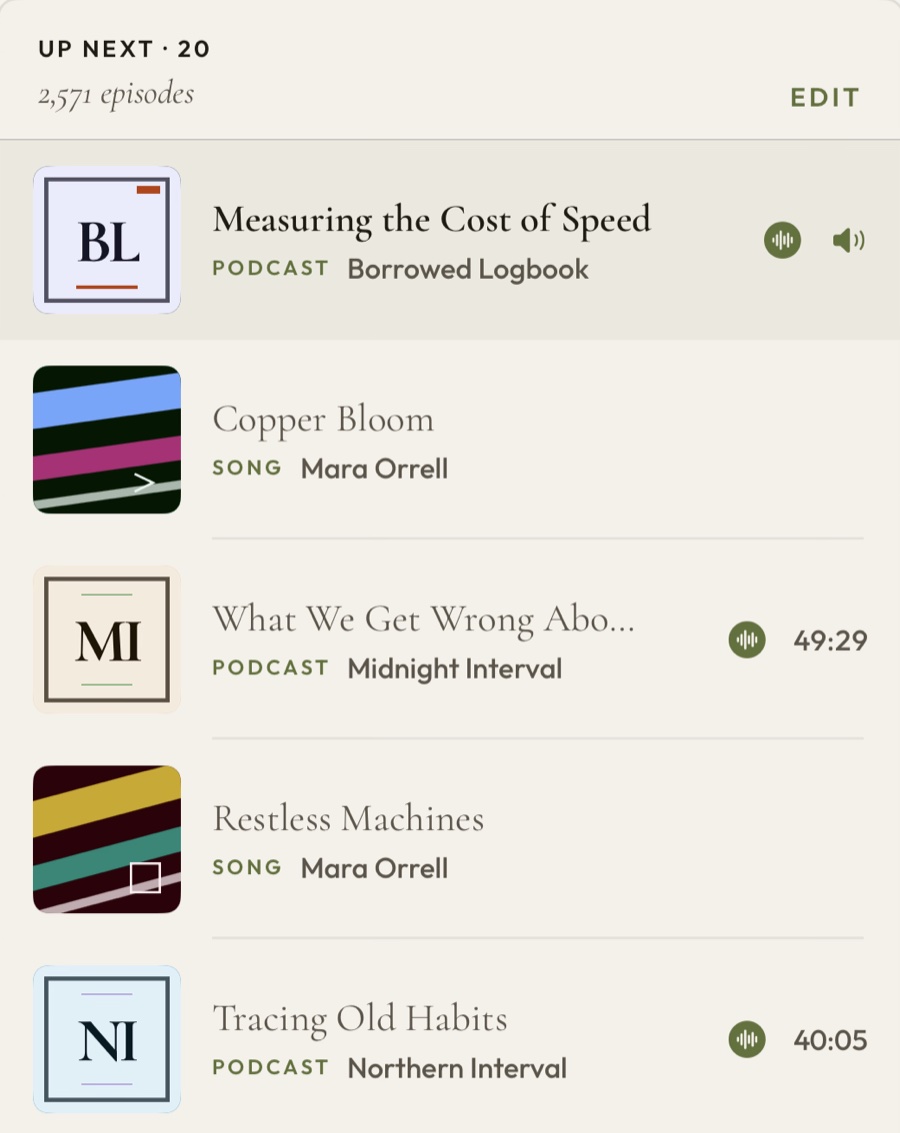
PodMelody's queue on iPhone: one continuous list alternating between rows marked PODCAST and rows marked SONG, with a running count of 20 upcoming items
Your queue · synced everywhere

And a serious podcast app underneath

everything you'd actually want

CarPlay, in full

Coming in Version 1.1.0 and now in TestFlight: Mix, Queue and Browse from the dash, with big targets and glanceable art.

Speed & silence

Speed-listen to 2.0× and past it with speech that still sounds human. Skipping the dead air automatically comes with Plus.

Offline & organised

New episodes downloaded and kept ready, shows grouped into stations, and a bookmark for any moment worth coming back to.

The idea

The queue is the centre of the app.

Open almost any podcast app and the queue is hidden behind a tap. For people who actually listen — across a commute, a workout, a long flight — the queue is the session. So we put it front and centre, and let music live in it too.

How interleaving works →
Episode · 52 min
then
3 songs
then
Next · 41 min

See it in the app

From the first play to the last.

Your mix is yours to reorder, reshape, and continue. It follows you across your Apple devices, so you can pick up where you left off instead of hunting for your place.

Explore the features →
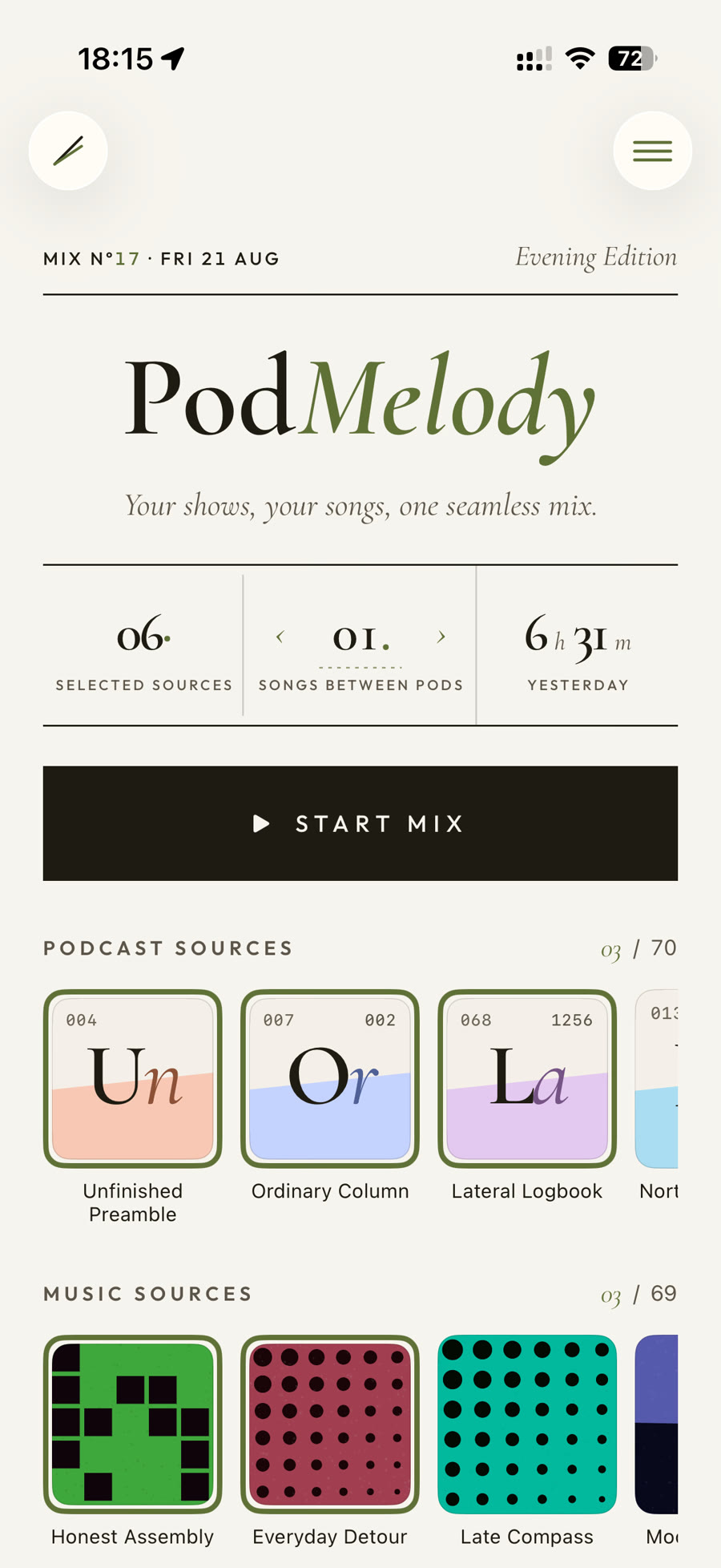
PodMelody Home: podcast and music source tiles above a Start Mix button, with a control for how many songs play between episodes
Home — choose the shows and playlists you're in the mood for, then start the mix. Your sources, and where you left off, in one place.
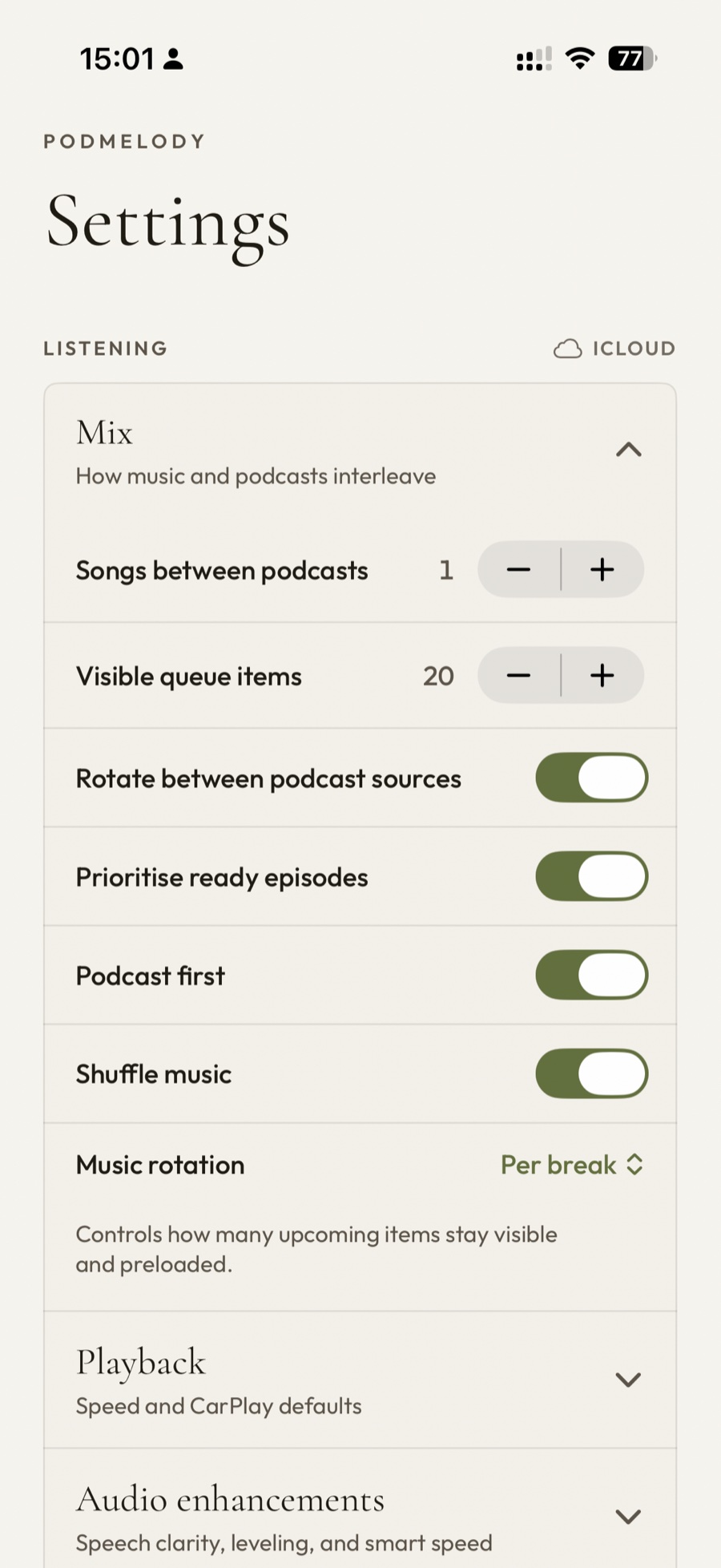
PodMelody's Mix settings: a Songs between podcasts stepper set to 1, a Visible queue items stepper set to 20, and toggles for rotating podcast sources, prioritising ready episodes, podcast first and shuffling music
The mix — one song between episodes, or five. Rotate between shows, lead with a podcast, shuffle the music: the interleave is yours to set.
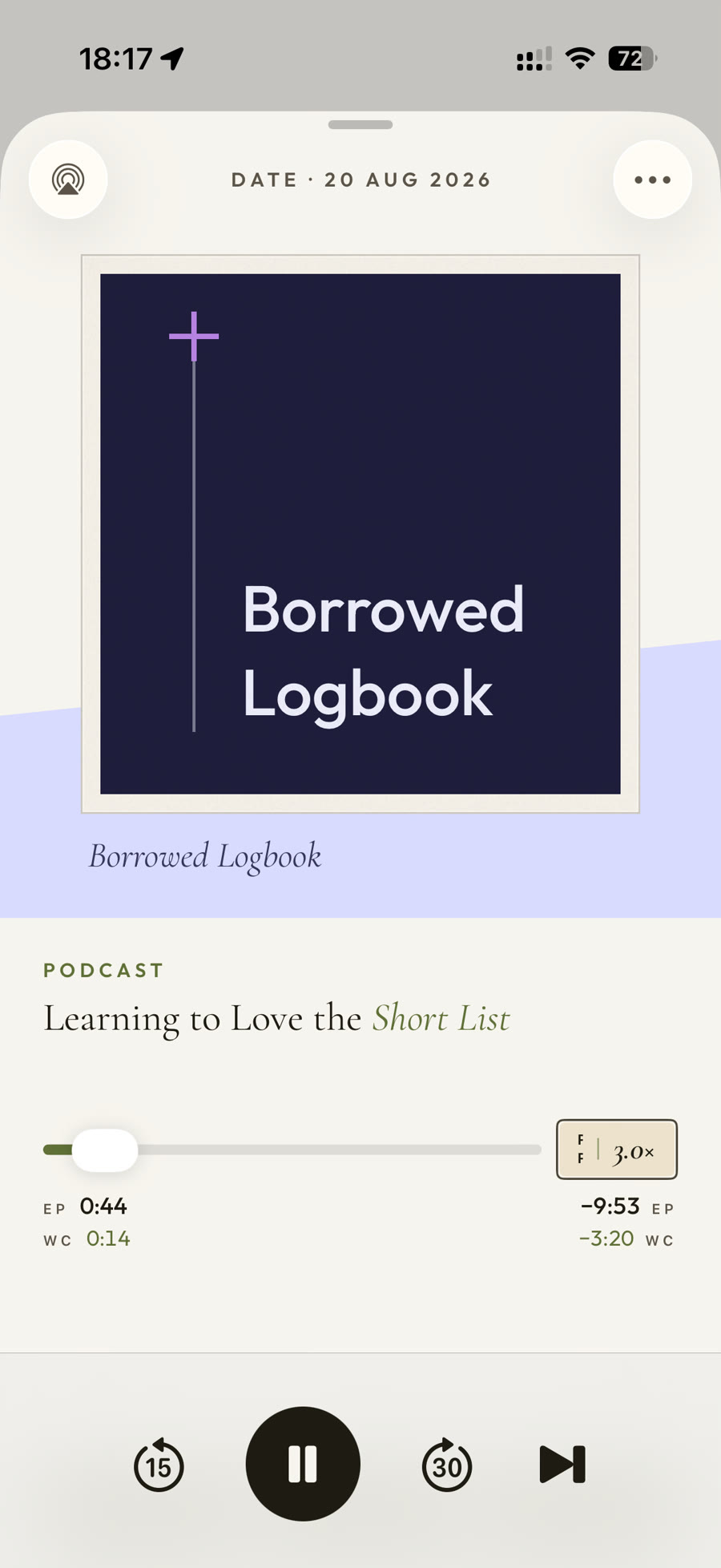
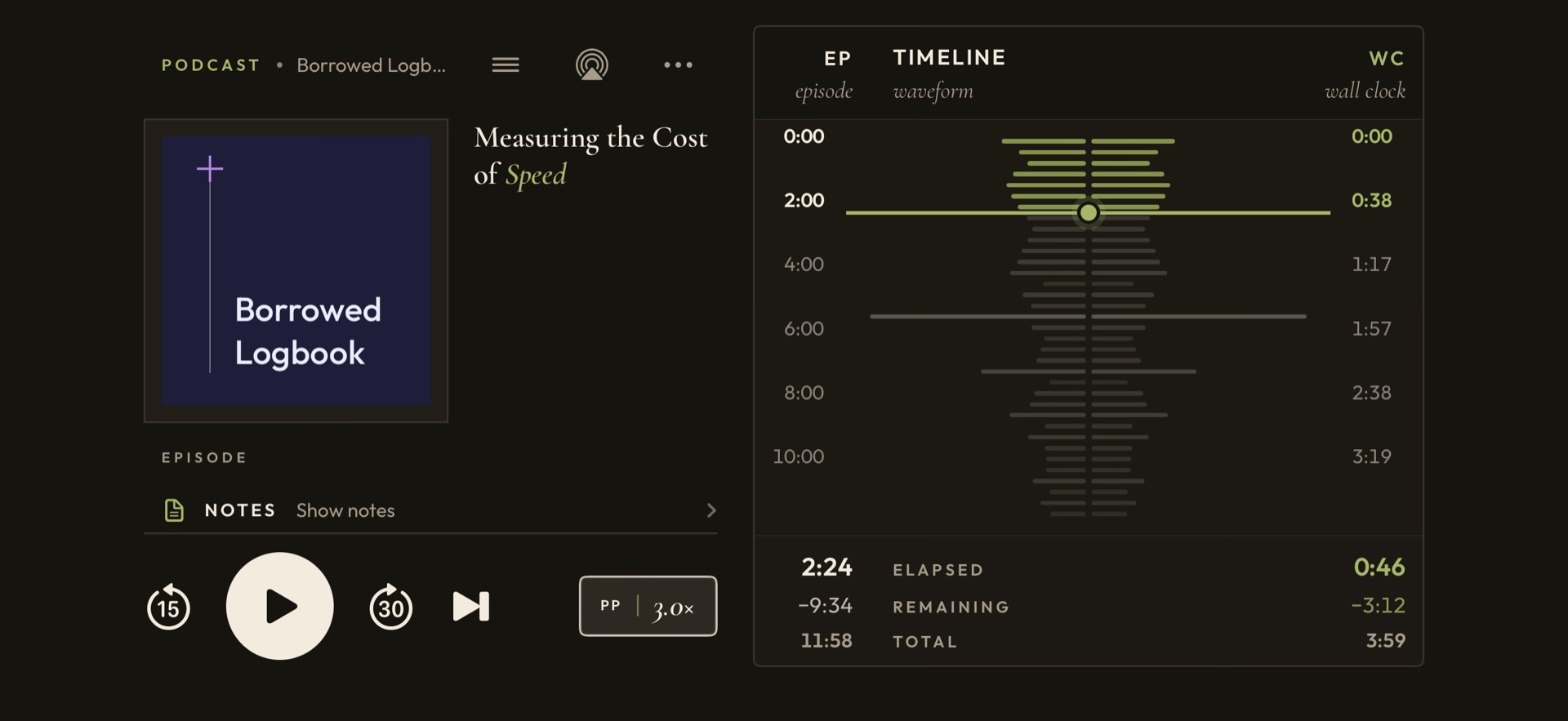
PodMelody Now Playing screen with artwork, scrubber and playback controls
Now Playing — speed, chapters and bookmarks for episodes, with silence compression on Plus; the controls change to suit whatever is playing.

iPad & Apple Silicon Macs

More room, so nothing has to hide.

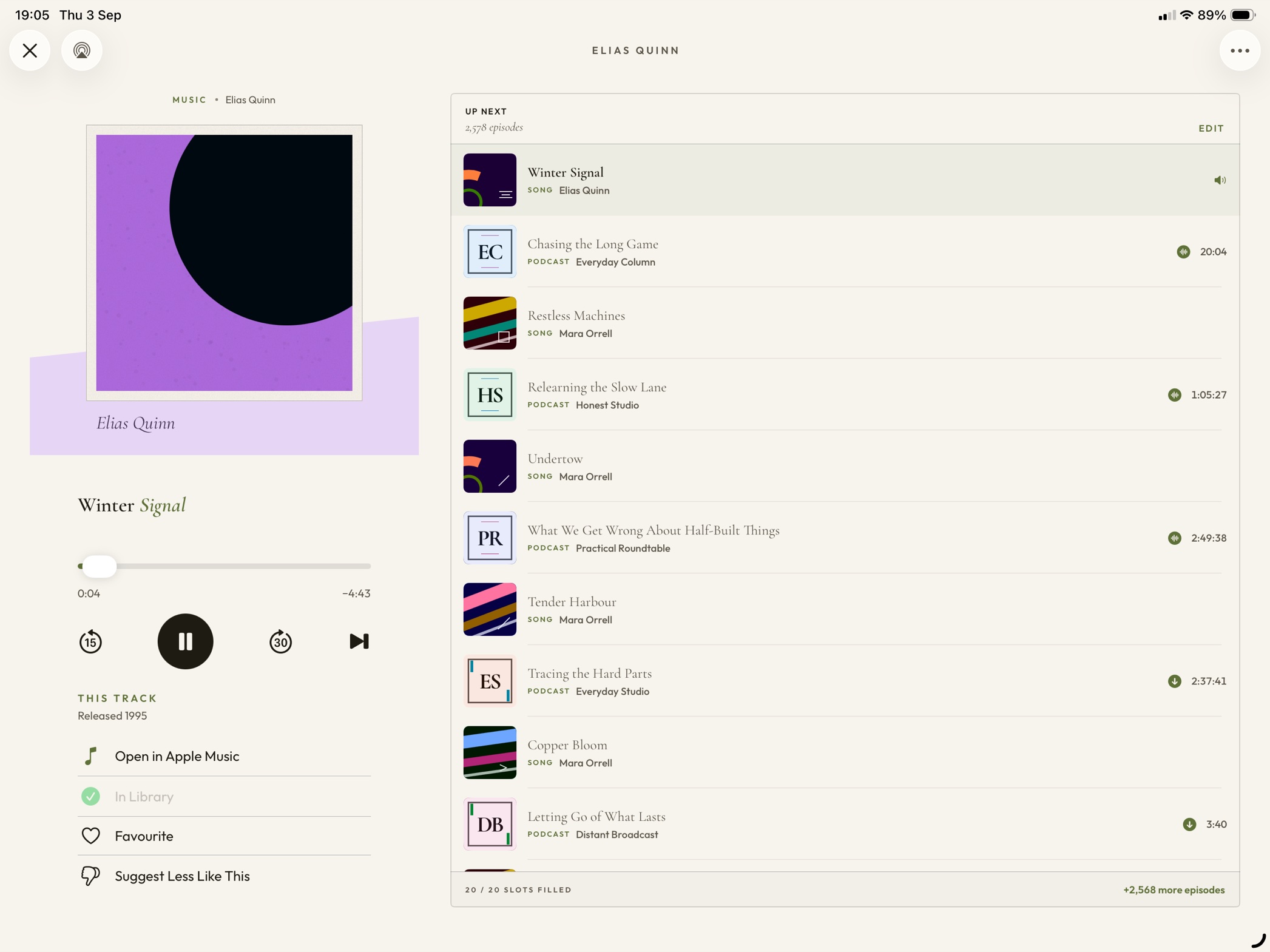
On a larger display the player and the queue sit side by side — what's playing on the left, everything coming up on the right. No sheet to pull, no tab to switch.

Explore the features →
PodMelody on a large screen: Now Playing on the left with artwork and transport controls, and the Up Next queue on the right alternating between rows marked SONG and rows marked PODCAST
Side by side — the same mix, the same order, with the player and the queue both in view at once.

Version 1.1.0 · now in TestFlight

The same queue, all the way to the dash.

The expanded CarPlay experience in Version 1.1.0 carries your mix to the dash intact — the same interleaved queue, with big glanceable targets and speed controls.

More on CarPlay →
PodMelody's Up Next queue on a CarPlay screen, alternating between music tracks and podcast episodes
Up Next, in the car — the Version 1.1.0 queue carries over exactly as you built it, songs and episodes in the order you set. Now in TestFlight.

Everything in the box

A player for people who actually listen.

Attention is the rarest form of generosity.

01One queuePodcasts and music interleaved — an episode, then the songs you chose, then the next episode.
02Speed that stays humanClear speech at 2.0× and beyond, from 0.5× to 3.0× and per show. Songs always play at their own tempo.
03Silence compressionThe dead air between sentences, quietly shortened — you keep the meaning and lose the pauses. Part of Pro audio in Plus.
04Your place, carried overWhere you stopped on your iPhone is where you start on your iPad and in the car. Offline-first, reconciled later.
05CarPlay, properlyMix, Queue and Browse arrive in Version 1.1.0 — coming soon and already in TestFlight.
06Offline, automaticallyNew episodes downloaded and kept ready, topped up each time you open the app.
07Stations, not six showsGroup shows into named sets — Commute, The Long Drive Home — and start a mix from one of them. A station counts as a single source, however many shows it holds.

PodMelody Plus

Free to mix. Plus for the deep end — offline downloads and pro audio. Expanded CarPlay arrives in Version 1.1.0.
See what's in Plus

Version 1.0.0 · available now

Your podcasts and Apple Music, in one continuous mix.

Core listening is free. Choose your shows and music, set the rhythm between them, and let PodMelody build the queue.

Download PodMelody
QR code linking to PodMelody on the App Store Scan to download