Now available on the App Store
Your podcasts and Apple Music, one queue.
Something unhurried, for the long way home.
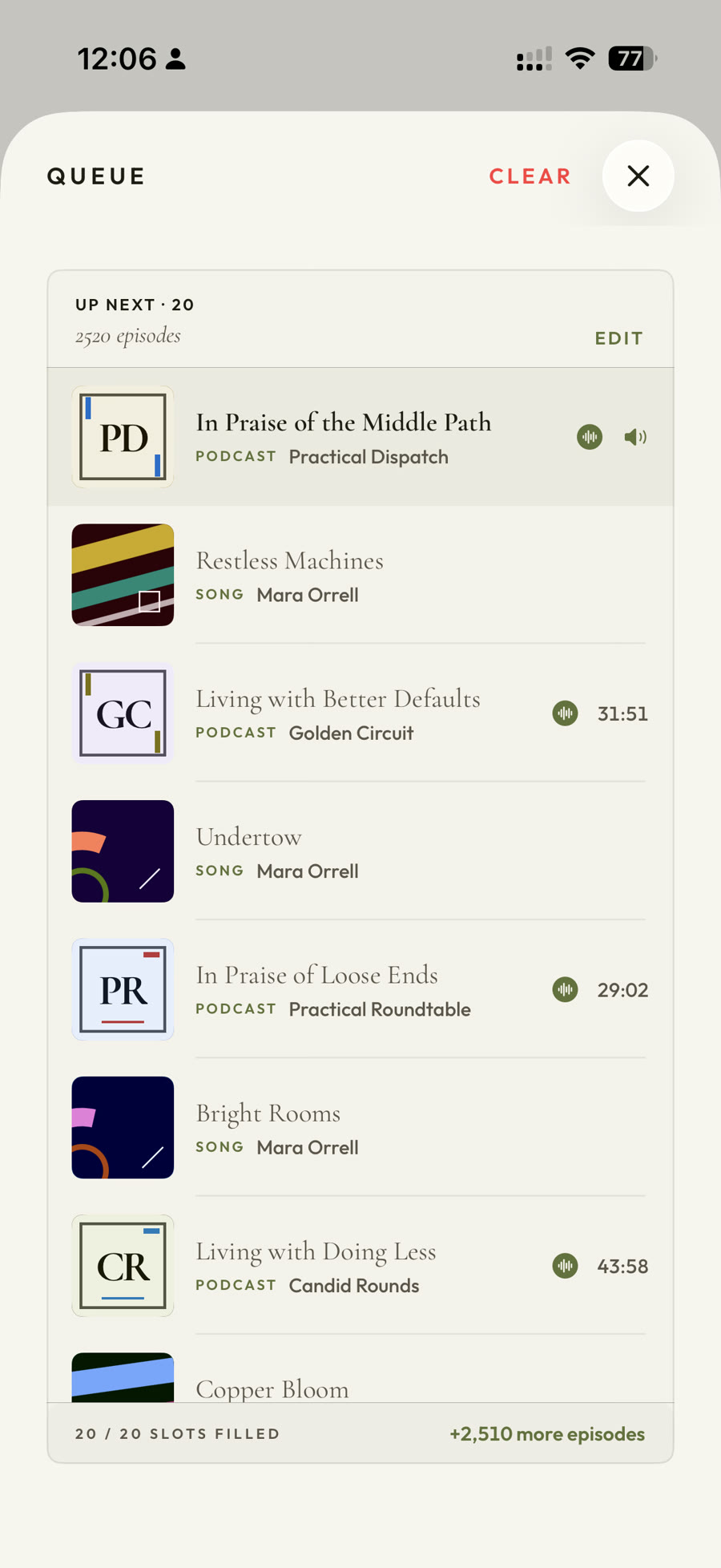
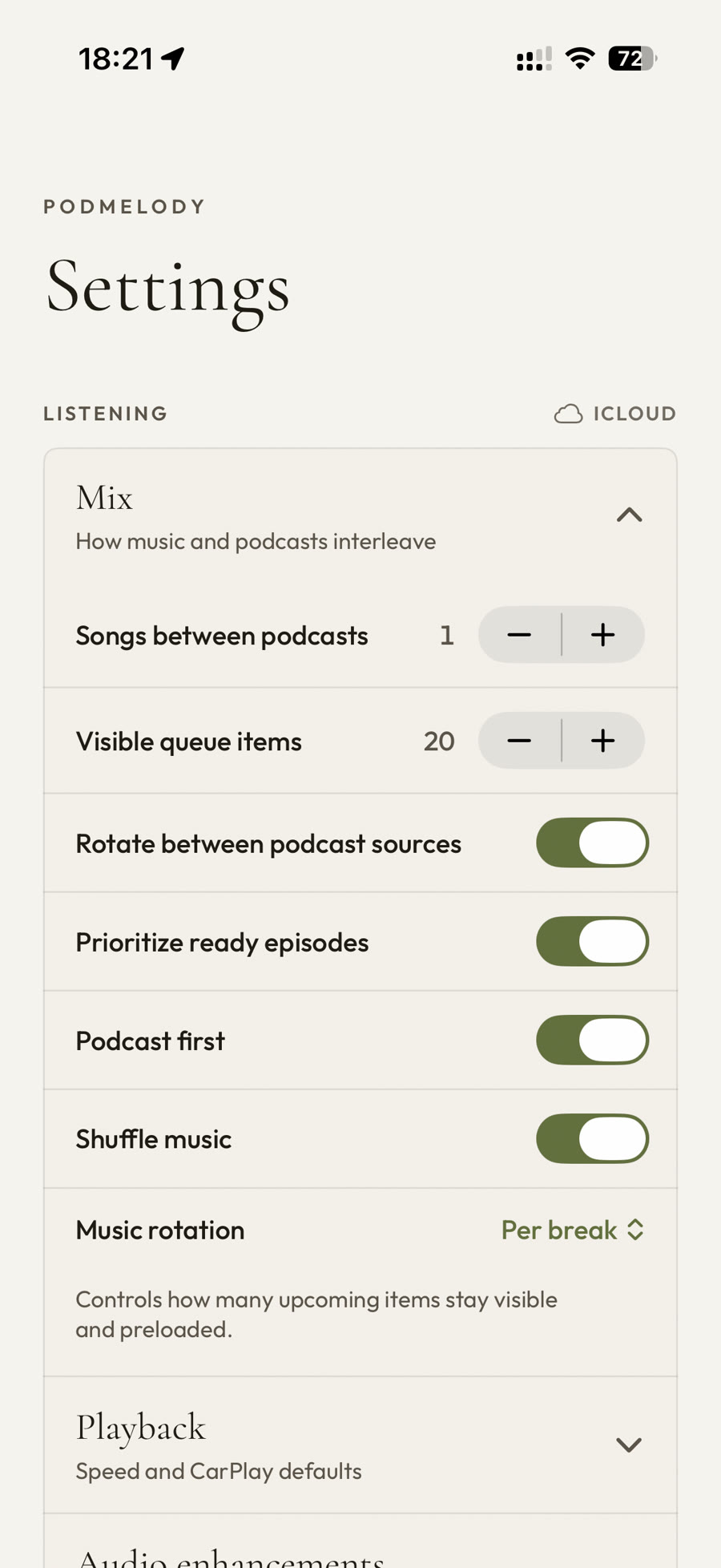
The episode ends. The music starts. You never touch your phone. Choose how many songs play between episodes and PodMelody weaves the mix — on the lock screen, in the car and across your Apple devices.

And a serious podcast app underneath
everything you'd actually wantCarPlay, in full
Enhanced Now Playing for everyone, plus Mix, Queue and Browse with PodMelody Plus — all with big targets and glanceable art.
Speed & silence
Speed-listen to 2.0× and past it with speech that still sounds human. Skipping the dead air automatically comes with Plus.
Offline & organised
New episodes downloaded and kept ready, shows grouped into stations, and a bookmark for any moment worth coming back to.
The idea
The queue is the centre of the app.
You know the moment — the episode ends, everything goes quiet, and you're reaching for the phone to find some music. PodMelody deletes that moment: an episode, then the songs you chose, then the next episode, with your hands nowhere near the phone.
For people who actually listen — across a commute, a workout, a long flight — the queue is the session. So we put it front and centre, and let music live in it too.
How interleaving works →Speed, in real terms
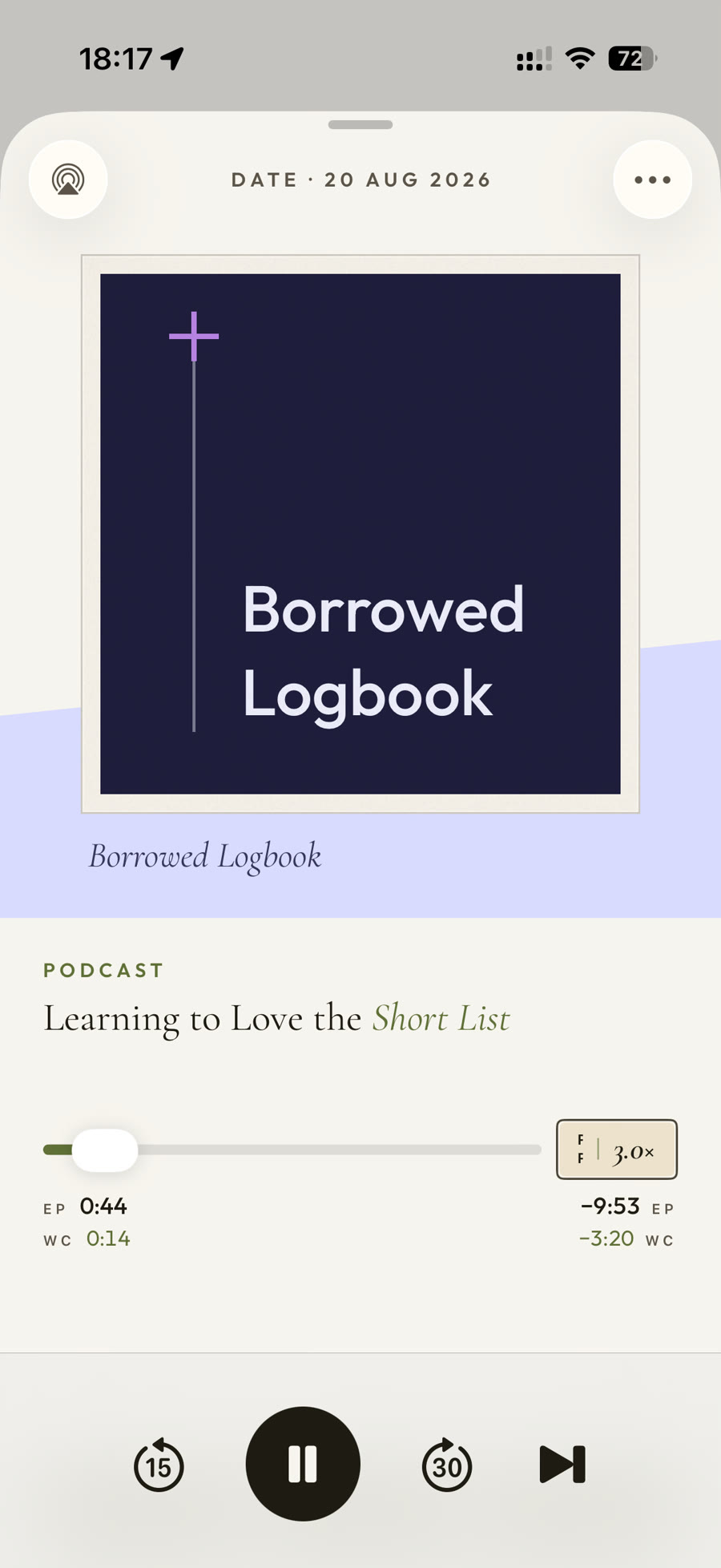
1:31:27 becomes 33:52
A ninety-minute episode in thirty-four, at 2.7× — and it still sounds like a voice. PodMelody's own time-compression algorithm is why the slider goes that far; silence compression, part of Plus, quietly trims the dead air on top. Songs always keep their own tempo.
See Pro audio in Plus →See it in the app
From the first play to the last.
Your mix is yours to reorder, reshape, and continue. It follows you across your Apple devices, so you can pick up where you left off instead of hunting for your place.
Explore the features →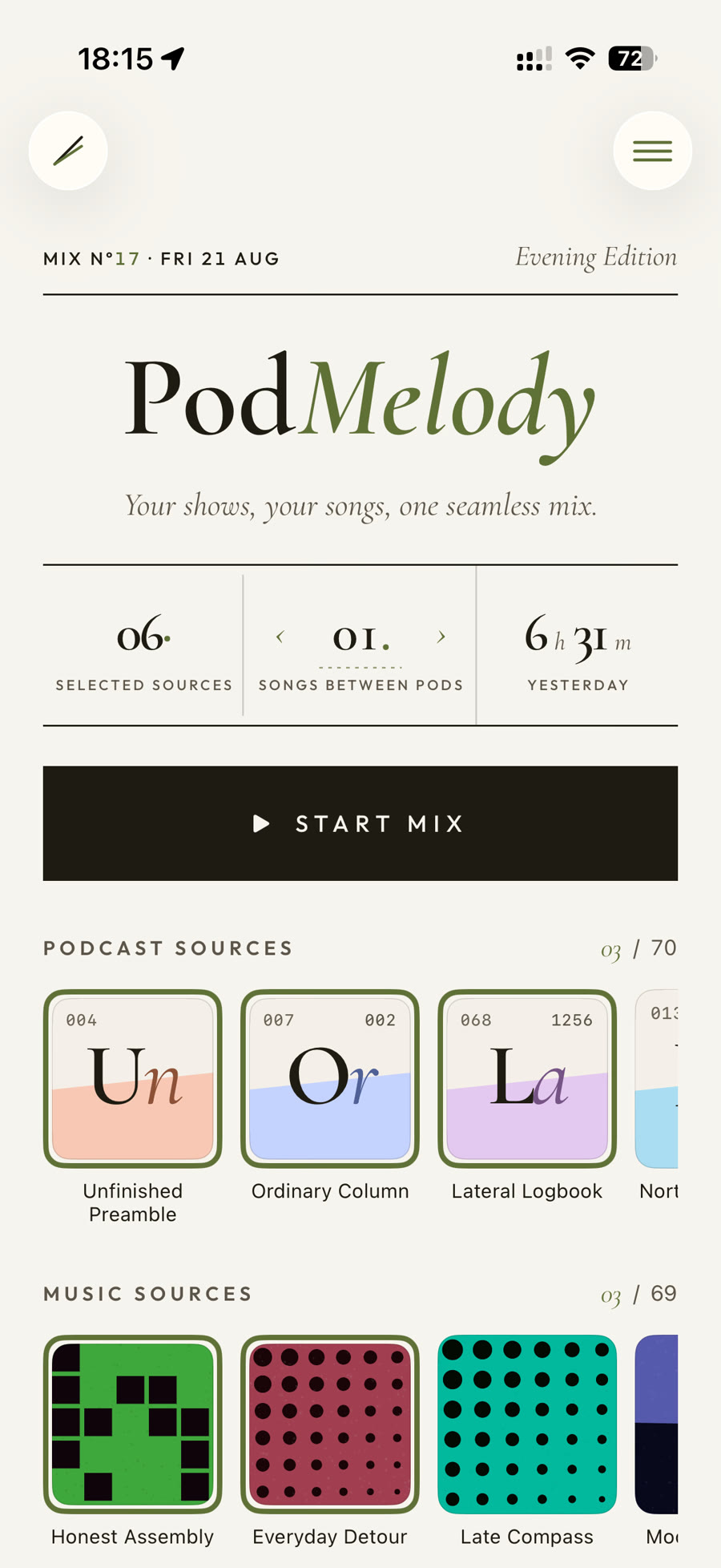
iPad & Apple Silicon Macs
More room, so nothing has to hide.
On a larger display the player and the queue sit side by side — what's playing on the left, everything coming up on the right. No sheet to pull, no tab to switch.
Explore the features →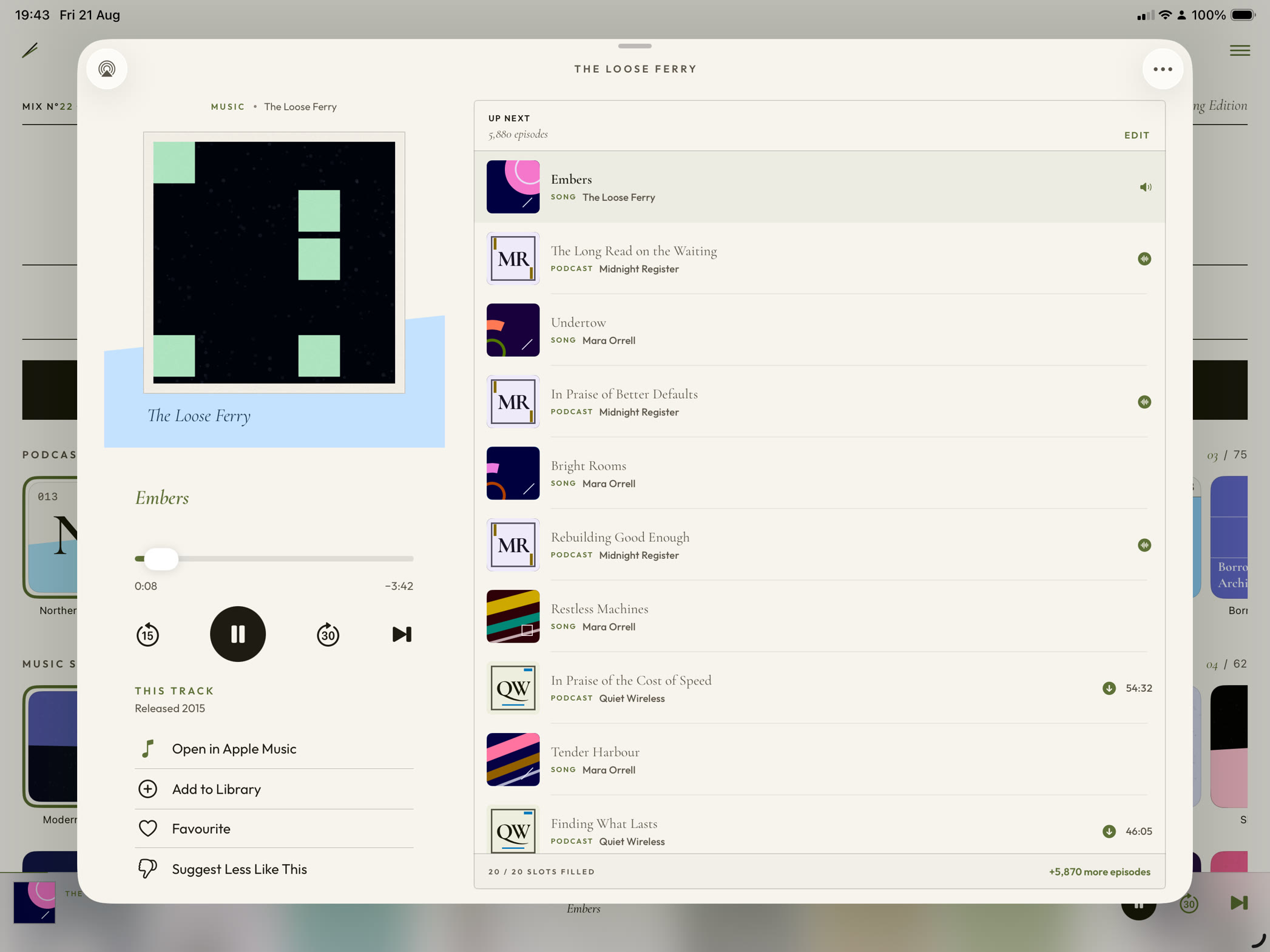
CarPlay · available now
The same queue, all the way to the dash.
PodMelody carries your mix to the dash intact, with big glanceable targets and speed controls. PodMelody Plus adds the same interleaved Queue, along with Mix and Browse.
More on CarPlay →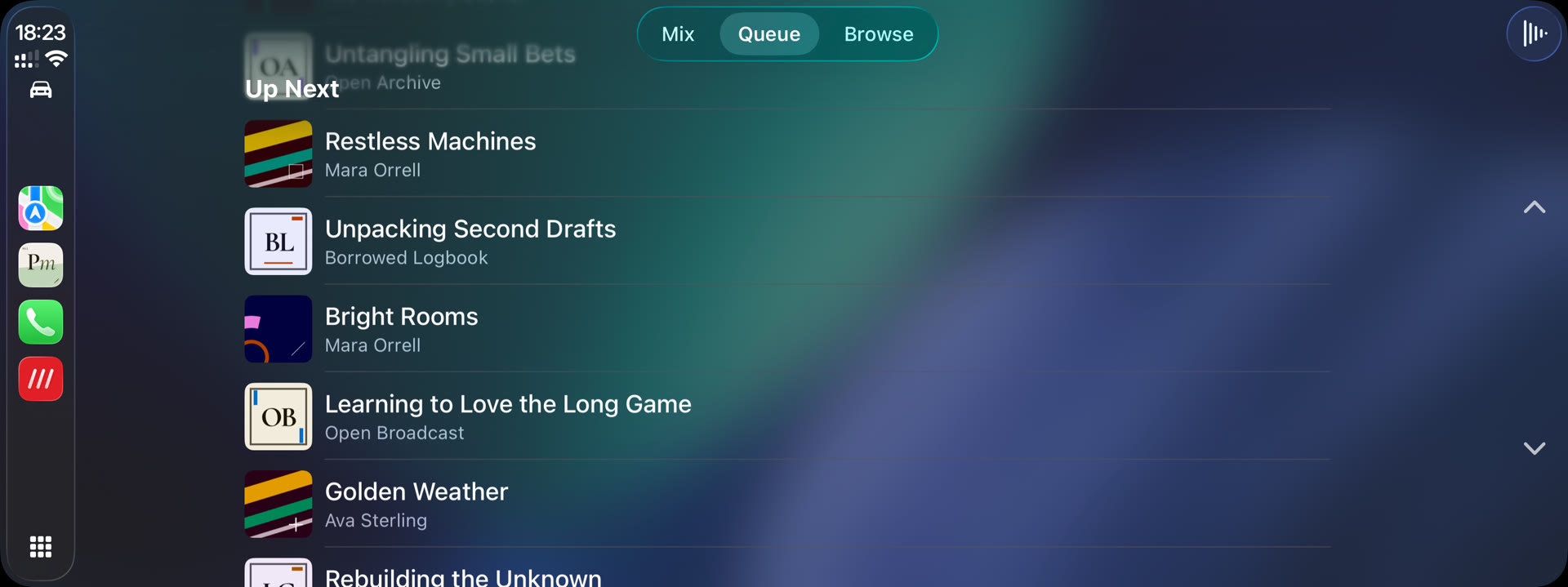
Everything in the box
A player for people who actually listen.
Attention is the rarest form of generosity.— Simone Weil
Available now on the App Store
Your podcasts and Apple Music, in one continuous mix.
Core listening is free. Choose your shows and music, set the rhythm between them, and let PodMelody build the queue.
Download PodMelody Scan to download